SC
Saint Charbel Mobile
iPhone App Gallery

Saint Charbel for prayer, story, and daily stillness.

The app turns `marsharbel.com` into a focused native experience. Instead of asking people to bounce between pages, it gives them one calm home, one illustrated story path, and one practical Rosary companion they can return to every day.

What matters most is clarity: children can open the story like a real picture book, adults can move directly into the Rosary, and both paths stay connected to the same live media and prayer library already maintained on the website.

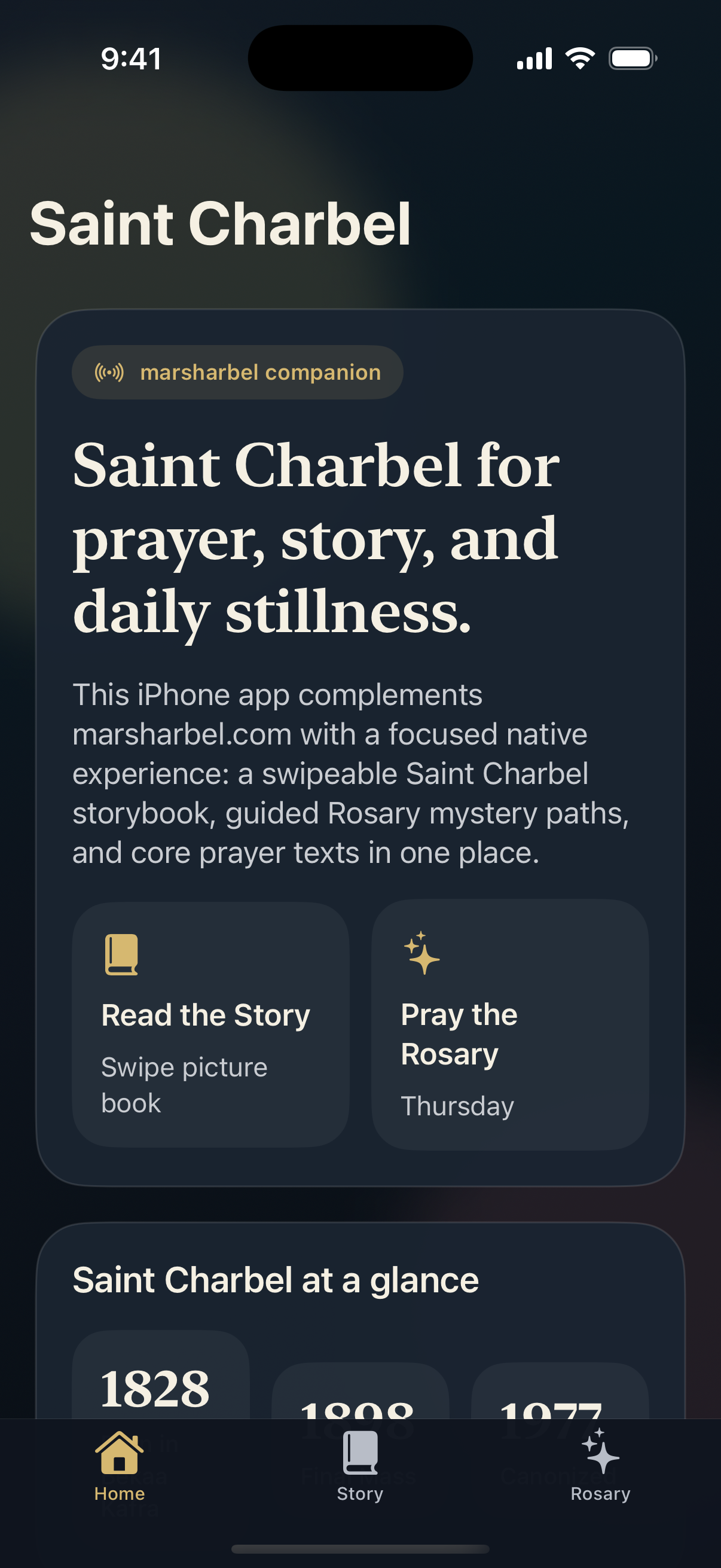
Saint Charbel iPhone home screen
Home Prayer, story, and Rosary entry points without clutter.
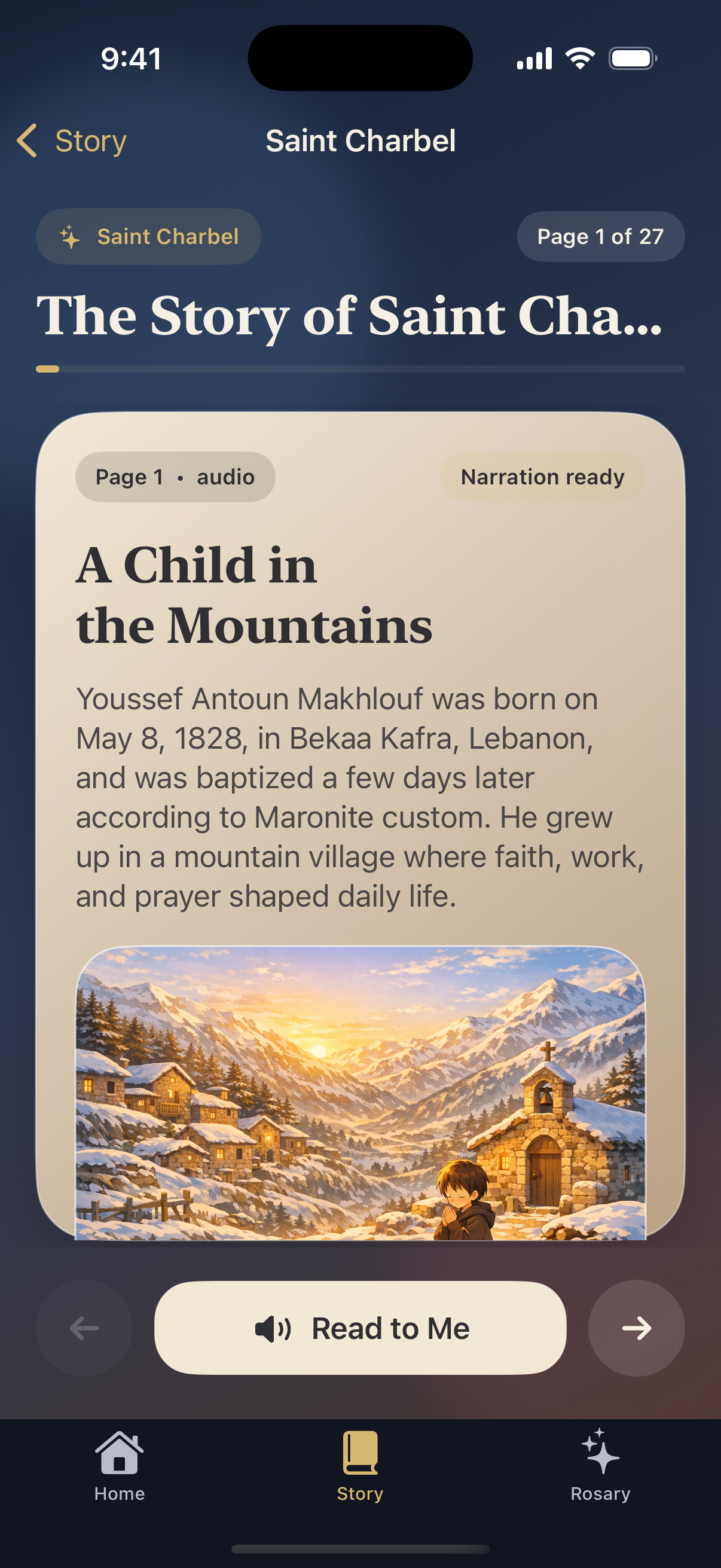
Saint Charbel iPhone story reader screen
Story Reader Large art, short copy, and narration-first controls.
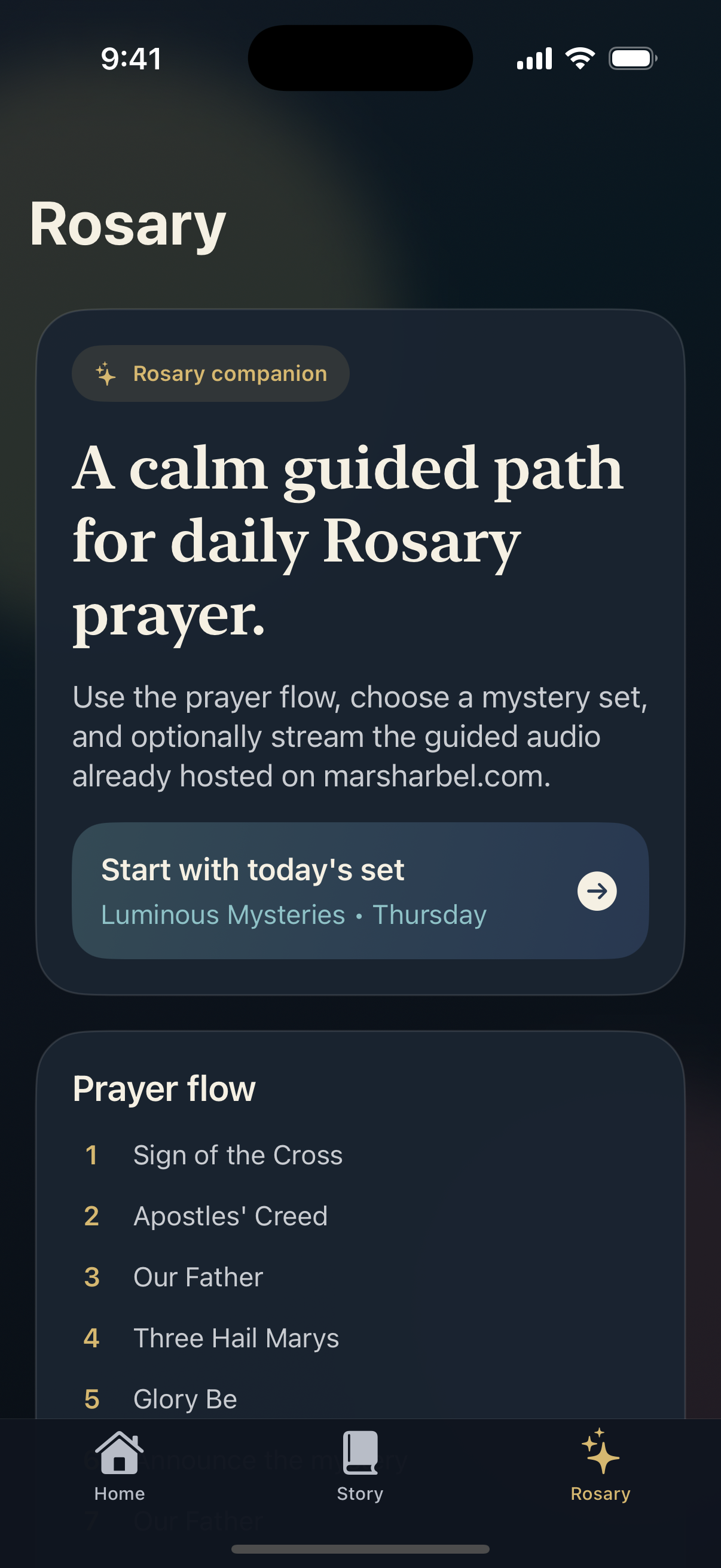
Saint Charbel iPhone Rosary hub screen
Rosary Hub The daily mystery set is surfaced first for quick prayer.
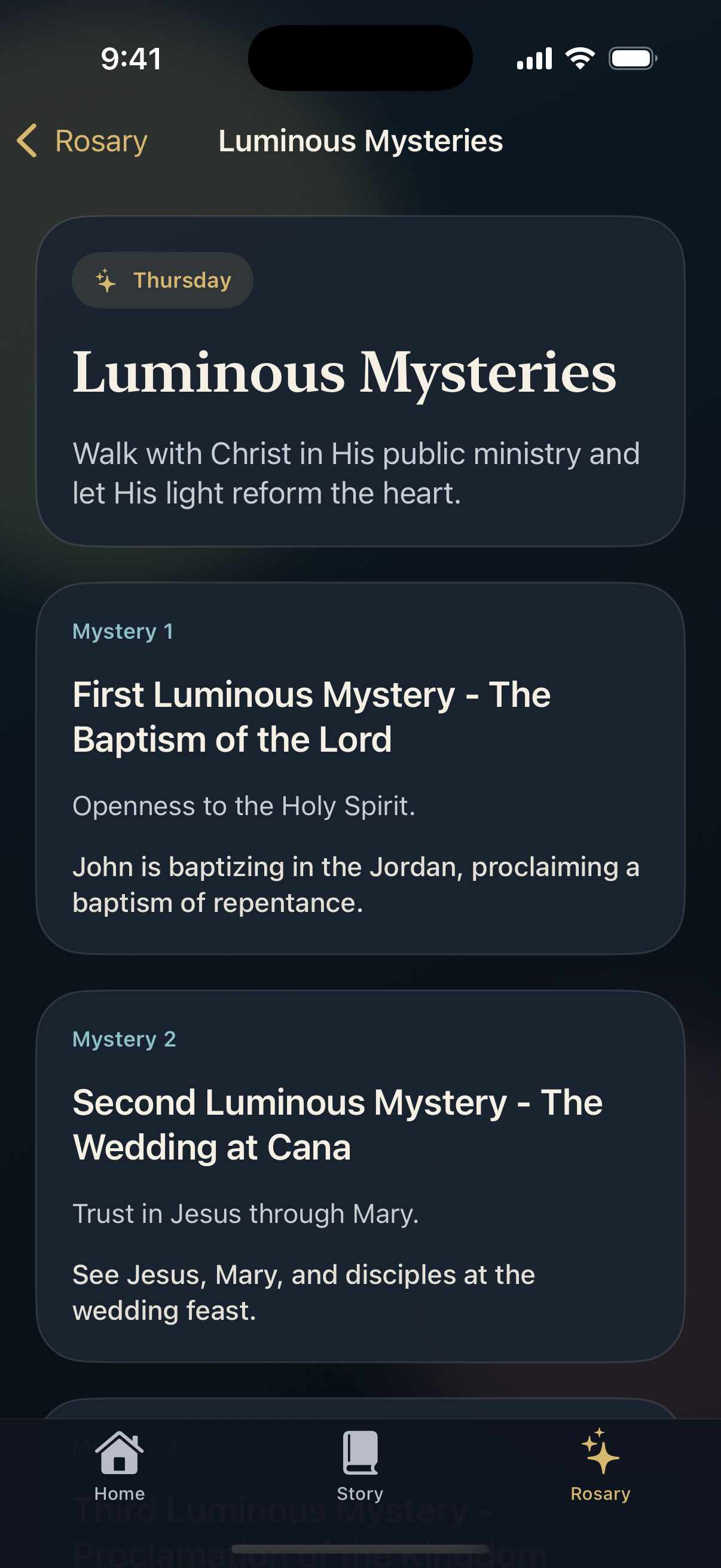
Saint Charbel iPhone luminous mysteries screen
Mystery Set Each mystery opens into a practical guided prayer path.
Story Experience

Built like a children’s shelf, not a content dump.

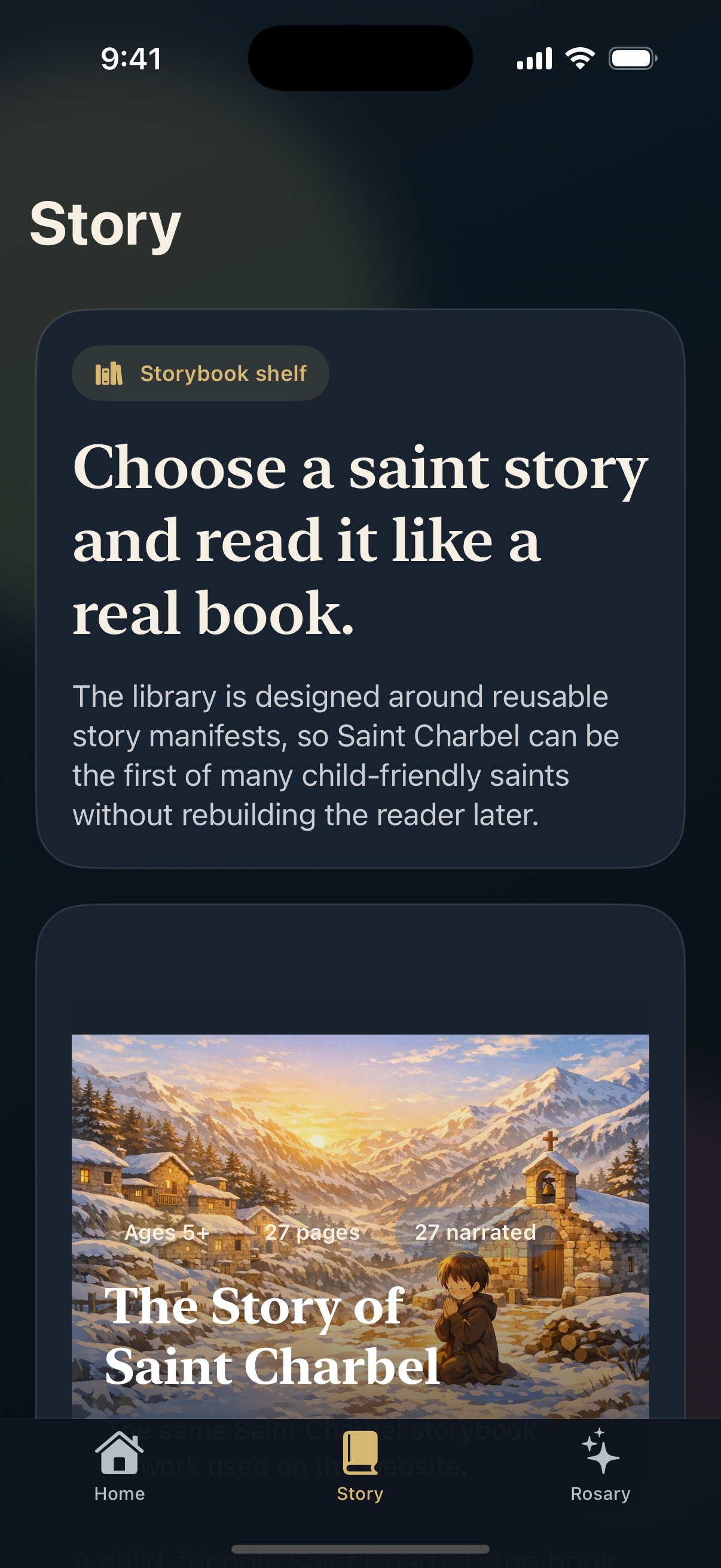
The story side is intentionally simple. One saint, one shelf card, one swipeable reading flow. That keeps the first experience understandable for children while leaving room to add more saints later as reusable books.

What the story flow does well

  • Starts with a single clear shelf card instead of a complicated menu.
  • Moves into a large-art reader with page numbers, progress, and obvious navigation.
  • Keeps narration attached to the current page so listening feels natural.
  • Uses the same live website illustration and audio sources, which reduces content drift.
Swipe to turn pages Narration queue from current page Child-friendly pacing
Saint Charbel story library screen
Story Shelf The saint story appears as one inviting book instead of a wall of text.
Saint Charbel story page in the reader
Page Reader Readable page text, immersive illustration, and a single narration action.
Rosary Experience

Daily guidance first, deep prayer detail second.

The Rosary flow is designed for people who want to begin praying quickly. The recommended mystery set is surfaced first, the prayer sequence is visible immediately, and each mystery opens into its own set of spiritual fruit, prompts, and guided audio.

What the Rosary flow makes easier

  • Removes the burden of remembering the day’s mystery set.
  • Presents the prayer sequence and pace options close to the entry point.
  • Connects each mystery to fruit, meditation prompts, and optional guided audio.
  • Keeps the experience useful for solo prayer, family prayer, and catechetical settings.
Daily set recommendation Guided mystery audio Core prayer texts in-app
Why It Works

The app is focused because each screen has one job.

This product works best when it feels intentional rather than overloaded. The home screen routes, the story screen invites reading, and the Rosary screen reduces decision fatigue.

01
Website-connected media

The story artwork, narration, and Rosary audio stay aligned with the existing marsharbel.com media library.

02
Storybook-first framing

The illustrated reading flow is easier to understand than a long saint biography page on mobile.

03
Prayer without friction

The Rosary opens with the practical next step instead of asking users to memorize schedules and structure.

04
Expandable content model

The same structure can support additional saint stories and future prayer paths without redesigning the app.

Next Capture Pass

iPhone media is ready. Android is the next storefront pack.

The current docs and README use iPhone captures from the running app. The next media pass should mirror this exact sequence on Android so Play Store assets and docs stay visually consistent.

Android parity

Capture home, story shelf, story reader, Rosary hub, and mystery set with the same narrative order.

Store-ready crops

Adapt the same core frames into App Store and Play Store aspect ratios instead of designing two different stories.

Metadata alignment

Use the same copy themes across README, docs, and future storefront metadata so positioning stays coherent.

Automation link-up

Promote the capture flow into repeatable release tooling once Android screenshots join the asset set.